THIS BLOG HAS MOVED. PLEASE UPDATE ANY BOOKMARKS TO GO DIRECTLY TO WWW.RAISINGGEEKS.COM

Sunday, July 11, 2010

Vacuum Florescent Display

I picked up one of these displays yesterday at SkyCraft. Someone was nice enough to create a documentation page for them, and has a youtube video example...

Vacuum Florescent Display - TechNet


Update:

After reading the documentation above, I got out a DB9 serial cable and wrote some quick Processing code to test out the VFD. It worked according to spec and I had it cycle through the character sets (including an undocumented third set). Reading deeper into the docs above, I saw the comment about RS-232 to TTL conversion by an onboard IC. Feeling newly empowered by knowledge and tools, I got out the logic analyzer and found the pins that had the TTL serial feeding the display microcontroller. Once I confirmed the pin, I looked for an open test pad to solder to - no such luck. I downloaded the datasheet for the microcontroller, found the rx pin, attached the analyzer and confirmed it had the TTL serial signal. This time, there was an open test pad, I confirmed it had TTL serial, and then soldered a jumper wire from the test pad over to one of the unused pins on the main connector. I got out an Arduino, quickly ported my code from Processing to Arduino and had the same character set scroller running from the Arduino.

So what's ironic is that today I set out to connect this display to an Arduino by building a MAX232 circuit that would convert the Arduino TTL serial to RS-232. I had ordered the wrong capacitors and couldn't build the circuit - but then later in the day, determined the reverse conversion was happening on the VFD and I could just cut out the middle man. I'm no longer upset about ordering the wrong caps - this was a WAY better learning adventure with a better outcome. Learning is fun :)

July 11th: Homemade Solid State Relays...

This week while searching for enclosures for this microcontroller car wiring project (that still needs a name), I had the idea to mount the IPS6011 High Side Intelligent Power Switches inside ISO Micro Relay cases. The micro relays have 5 connections and Delphi makes some great modular enclosures to hold them. Once I arrived home from the beach and the IPS6011s had arrived, I purchased a few micro relays to see if they would fit. Short version - they fit with minimal effort, and can convert an existing micro (coil) relay into an IPS (solid state) relay in about 20 minutes with some practice. You can see the ugly results below. I'm sure there is a better way, but this is the result of my first attempt. So far I've switched and PWM'd a 10 amp inductive load (automotive cooling fan) without any issue - with the top reinstalled. PWM switching of a 10 amp load makes these things HOT. I've had it over 200 degrees Fahrenheit which is still 100 degress below the thermal protection threshold. For now, the only heat sink is the existing coil mounting tab which is also the main power terminal.


Here are some assembly pics...


Some other notes: The diagnostic output works great. I'm using the simple version of the diagnostic circuit which requires no components other than the resistor that is in the relay case (and the internal pull-up resistor in the Arduino circuit).

So far I've run everything off the 12amp bench power supply. The next tests will be off a car battery - I need to test some larger loads, and see if I can hit thermal shutdown. Destructive testing is fun - I'll have the fire extinguisher handy :)

UPDATE:

Full size car battery tests - I can run one cooling fan long term (a 10 amp load) and the temperature stays stable at about 125 degrees. Running both fans (in-rush current over 20 amps, then settles to about 15 amps) causes the temperature to skyrocket (even without PWM) and it hits thermal shutdown (I thought there would be a longer off cycle, it seems to go off, then right back on, generating even more heat - I didn't let it keep going...) and the diagnostic pin DOES pickup the issue. I'm wondering if more heat sink would make the difference...I'm tempted to build my aluminum block relay...

No, I haven't figured out why both fans don't seem to draw 2x the current...something is odd...

In my next Digikey order, I think I'll try some other higher-rated power switches. What is nice about my "modular" concept is that I could use inexpensive switches for smaller loads and more expensive switches for larger loads as needed. The IPS6011 were $4.90 each - and these things go up to almost $11 each. When you plan on 30 of them in a system, that cost adds up fast. I think my next part to try is the Infineon BTS50085-1TMB-ND  - $6.95 each, but rated for 44 amps. It is a 7 pin part, but use 4 pins for the output - which makes a lot of sense. They drop the microcontroller ground, which is interesting - but if it works, its one less connection :)

I'm also tempted to try the Infineon BTS555E3146IN-ND - it is $10.15, but rated for 165 amps. I don't know how that's even possible, but if it could PWM my BIG cooling fans (35amps each...) I'd be very willing to spend the $20 for two of them.

Update - July 12th - those BTS50085's are on backorder - DOH! I'll be getting a few of the BTS555s to play with in the mean time. I also made a billet relay case tonight. I've always wanted to make something out of billet, it was very, very time consuming, but came out...pretty nice. I should have taken some pics but I quickly mounted it to my PCB-mounted IPS6011 as a heatsink to see if it would add amperage capacity at a reasonable heat. Turns out, that in a room with some moving air, it stabilized about 180 degrees with both cooling fans as the load. When I stopped all moving air in the room, it climbed slowly to about 200 and stayed there. I think that is still too hot, but I was encouraged to see that a little bit of aluminum went a long way - before I would run them for about 10 minutes before it would go into thermal shutdown. Tonight I went over 30 minutes before I shut it down to get some sleep. More experimentation to come...


July 10th: More Power!!

I've been annoyed by not having a benchtop power supply for sometime. When I'm working with basic Arduino stuff it isn't a big deal because I get 5v off the Arduino - but when I'm working with 12v control, I'm constantly finding some other wallwart or other source, hacking something together and typically without any regard for safety - for me or the circuit. I've been looking at benchtop supplies online and had picked out a nice Extech, but just couldn't justify the cost. I decided to stop by Skycraft yesterday to see if they had something. I had the choice between a new 30 volt / 3 amp digital meter power supply from some unknown Chinese manufacturer for $130, or a used Extech 382222 15 volt / 12 amp analog meter power supply for $95.

I chose the used, known good manufacturer, analog gauge power supply with MORE POWER!

Right now the Extech is pumping out just over 10 amps to an automotive radiator fan at 13.8v. It is very stable, and handles overcurrent gracefully... 

In my haste to leave the store (due to my 7-year old being mad that I wouldn't buy him this large plastic wheel from whatever), I forgot to buy some banana plug leads...but I found some banana plug adapters in the home stereo connector drawer, so I'm good for now.

I'll likely build a plug in 5v supply so that I can easily have dual voltage - but no big hurry, as I mentioned, my Arduinos all have voltage regulation on them...

Saturday, July 10, 2010

Hey, Lego my Droid, you remote-controlled fiend! (video) -- Engadget

Hey, Lego my Droid, you remote-controlled fiend! (video) -- Engadget

I've been saying for some time that the next generation of hobbyist devices are all the Android smartphones that fall out of use - in a small package you get a CPU, Battery, Display, GPS, Wifi, etc. I'm waiting for someone to release an Android version specifically designed for embedding - a "headless" version more or less. These videos show that we are headed that way...

Friday, July 09, 2010

July 9th: Time to think...about Modular Electrical Centers

Vacation has its benefits - one of which is the ability to clear the mind & think about a topic over a few days. When we are at the beach, I usually have a few hours every morning where others are still asleep, so I go for a walk on the beach. Since Candy is back in Orlando, I haven't been taking the morning walks, but instead sitting on the balcony watching the sun come up while surfing the web. I had some targeted web surfing this week - mostly figuring out how to get this Firebird project moving so I can have the car moving in September as it starts to cool down.

Earlier in the week, my web surfing paid off when I found the MOSFET I needed. This is the most critical part in the whole system - the high-power switching. Once I knew that the IPS6011 would meet my needs, I started thinking about enclosures - specifically the underhood enclosure. I'm not worried about the enclosure for the dash or trunk, since those don't need to be weatherproof to meet my needs. The underhood enclosure has to withstand a good deal of heat, moisture, etc. and ideally, LOOK GOOD. :)

I spent lots of time searching for IP67 rated enclosures and sealed connectors or cable glands. I found a few options, but nothing was really making me happy. I knew that Delphi weatherpak and metri-pak connectors were the way to go for automotive stuff, so I headed to the Delphi site. Once there, I found the catalog I'd seen once before, but had forgotten and I had an AWESOME thought. Modular fuse blocks!


I had to turn my thinking inside out - instead of an enclosure that was sealed and contained the microcontroller (or I2C expander), the 10 IPS MOSFETs and the 10 fuses, why not do the fuses externally. I'd also had this crazy thought for some time - What if I could fit the MOSFET in a fuse housing, then I could just plug them into a fuse block. Unfortunately a fuse only has 2 connections and the IPS MOSFETs need 5. Then it hit me - a Relay has 5 connections. I can make each IPS into a module that is the same size as a relay and they can just PLUG IN. Woah.
My first thought was to buy relays, gut them, install the IPS and any indicator LEDs and reseal them. Seems like a lot of work AND it then looks like a relay when it isn't one. I was also worried about the thermal load of the IPS in that little case. If only I could make the case from aluminum and it would act like one big heat sink. THAT'S IT! I can buy aluminum block, cut to size, drill out for the LED(s) and the IPS and attach the IPS right to the aluminum case. I can use epoxy to "Pot" the IPS and terminals in place. I'm guessing this puts the parts cost of each module at ~$10. For the prototypes, I'll machine them at home, but if it works right, I can see ordering them nicely machined, looking all fancy and mac-book like :) 

Ok, so now I solved for the IPS and for the fuses, but I still need to house the microcontroller or the I2C expander (just called the "control circuit" to make it simpler). Both can fit in very small packages (if ordered with SMT). 

Assuming the use of the 4 module electrical center above, I would have one with mini fuses (bottom left in the pic above), and 2 that hold 6 micro iso relays (not shown). That gives the capacity for 12 fused IPS circuits, and a spot for two extra relays if needed (cooling fans, etc). That leaves space for one more module, which can contain the control circuit. 

I started counting connections...

Connections to "master" = 5
+5v 
Gnd
I2C SCL
I2C SDA
Interrupt request (saves the master polling for diagnostic issues or inputs)

Connections to IPS circuits = 24
1 control line per circuit (lets stick with 12 circuits for now) = 12
1 diagnostic line per circuit = 12 

So for a 12 circuit system, I have 29 connections.

I started looking for connectors, trying to think of how I'd mount the module and the connectors. I kept thinking, "there must be an easy way" - then I realized - the modules that hold 6 relays have 30 connections...hmmm...

Sure enough, I can take the same approach as the IPS. Aluminum enclosure (or plastic since I'm not worried about heat), spades stick out the bottom for all the connections, potted. The entire thing just pushes into the module. I'm a little concerned about removing it with 30 connections, and about getting all those spades mounted right - so I'm not sold on this one yet. There may still be a better way, but I need to get the electrical center here to see it.

What I LOVE about this option, is that it is crazy modular. You can scale the number of circuits up or down very easily. Only need 8 circuits, you only have to make / buy 8 of the IPS modules. Fry an IPS (not sure how given all its internal protection), just pop one out and replace it. If they can dissipate heat properly, I might be able to even put two IPS in one case DOUBLING the current capability (BIG cooling fans with PWM...) Best part is minimal manufacturing, and it should blend into the engine compartment since people are used to seeing these electrical centers and not really giving them a second look. With this design, there are quite a few electrical centers that could be used - just a matter of picking the one that meets your needs.

mouser.com carries all the delphi parts and they can all be ordered by the piece. I priced out the modular center concept above and BEFORE terminals, it is ~$50. I'm guessing I'd spend another $20+ on terminals. While this might seem pricey, I will no longer need a large PCB design...A small and simple PCB for the control circuit is likely all that is needed.

I'm sure there is more to be solved - but at the moment, this feels like a VERY good direction. If it works out well, I can use the same mounting system in other parts of the car - but without the need for the sealing, I may keep it simpler. Then again, this may prove to be the way to go all around...that electrical center is only 7.24" x 4.6" x 1.65"...which would fit well in any of the spaces I'm thinking...


I haven't pulled the trigger on the order yet. All this is contingent on the IPS working the way I need. The IPS order should be at the house today - I'll get them tested, then I'll build one of my micro-relay aluminum IPS modules, make sure it can take the heat - if that all works, I'll order the electrical center and get started on the control circuit mounting. I suppose I should get to work on the actual control circuit, but for some reason that seems "easy" to me once the IPS and weatherproof mounting get solved. I'm sure I will regret thinking that later :)


Thursday, July 08, 2010

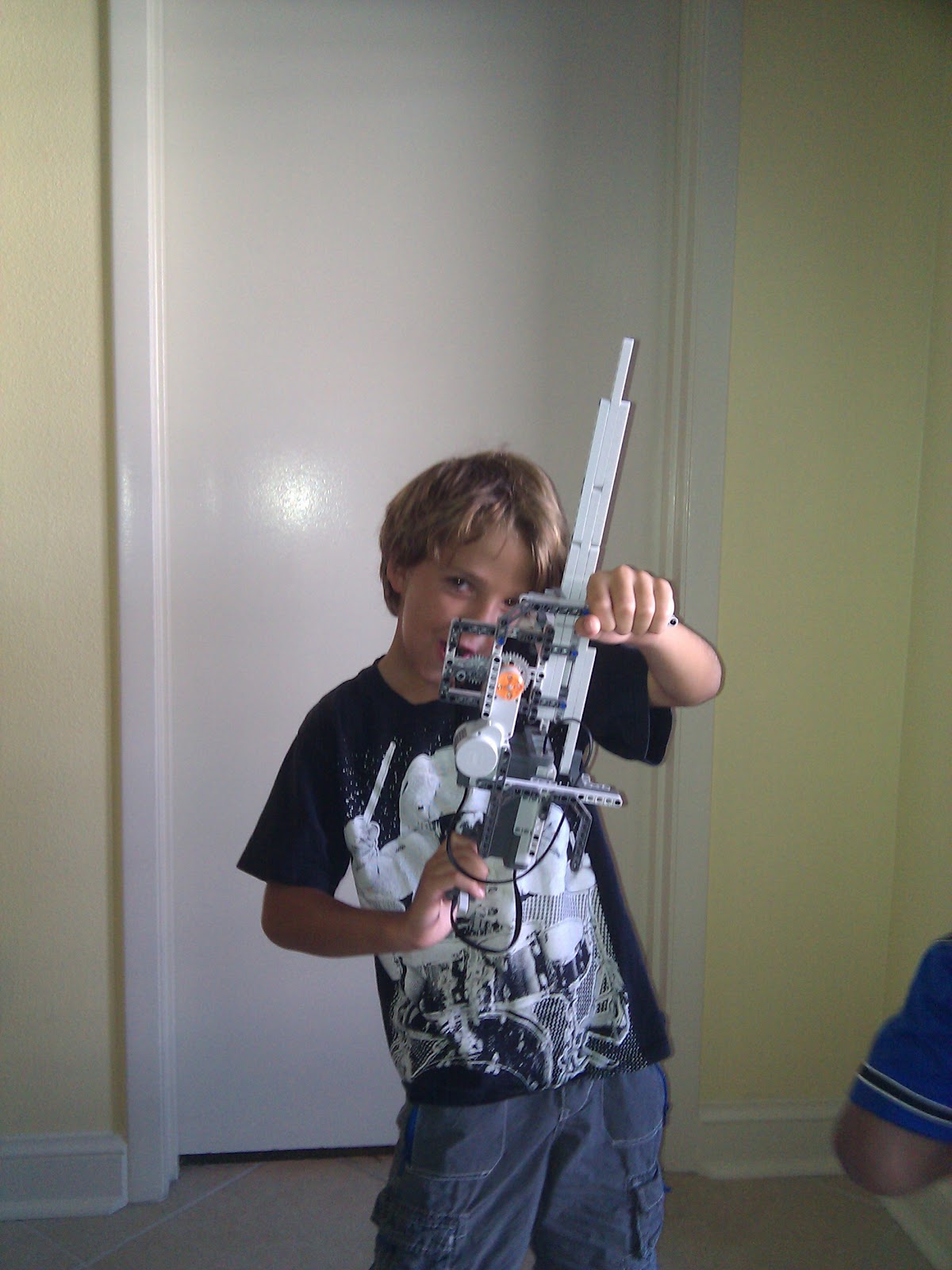
July 8th: Lego Machine Gun

We brought the Lego NXT 1.0 Robot set to the beach with us. After a minor setback (Dad left the CD in the box at home, but when Mom went back, she was able to zip it & send to Dad...), we were operational.

The boys decided they wanted to make the machine gun from nxtprograms.com. We started it last night, then about step 17 decided it was getting late. We finished it today and immediately test fired it. It shoots all 10 "bullets" (three hole technics pieces) in about 2 seconds (as seen in the video below). The boys think it is "AWESOME!"...


Wednesday, July 07, 2010

July 6th: Arduino 3x3x3 LED Cube

I'm keeping the boys entertained at the beach this week. My need for constant stimulation has CLEARLY been passed onto them, so yesterday was an action-packed day. We started the day by building a 3x3x3 LED cube driven by an Arduino. 


I've seen these on youtube, the Arduino forums, Make, Instructables, etc. and have wanted to make one for a while. I reviewed lots of the different instructions and settled on this one from Instructables since it included Arduino animation code.

Before we left for the beach, I made a quick wooden jig on a 2x4 scrap. I created the dot grid using the "Square Dots Graph Paper PDF Generator". I made a 4x4 grid, even though I only intended to build a 3x3 cube. If it worked out, I figured 4x4 was the next logical step and I'd already have the jig :)


After the boys crashed on Monday night, I made the first two layers and setup the Arduino and breadboard so that we could build one layer together, attach it and they could see results almost immediately. For those keeping score, yes, I did bring an Arduino, LEDs, a soldering iron, solder, eye protection, pliers, snips, a breadboard, jumper wires, and alligator clips to the BEACH. It rains a lot here, OK?! :)

The completed 3x3x3 Red LED Cube...the cathodes are all connected together on each horizontal layer and the anodes form the vertical risers. Lighting a specific LED means activating ONLY that cathode layer and that anode riser. The microcontroller does this very quickly and takes advantage of persistence of vision to make it appear that multiple lights are on at one time.


The pics and video don't express the "cool" factor of the 3 dimensional light animation. If I had the patience, I'd build a really large one of these - say an 8x8x8 or maybe even an RGB one - but I don't have the patience to spend a week bending and soldering. I'm surprised I haven't found links yet to buy them presoldered out of China :)

Why would you want an 8x8x8 RGB LED Cube? This video shows how cool they are...


And just in case you were wondering, after building the LED Cube, we went bowling, had lunch, went to Best Buy to get new video games, played the new games for a bit, went snorkeling, threw the Nerf  whistling football on the beach, went grocery shopping, made dinner, played more video games, played tennis, went swimming, played two games of  chess with the large set on the sun deck, played more video games (while Dad did laundry and dishes) and all passed out at 10pm :)  Whew!

Monday, July 05, 2010

July 5th: Seek and Ye Shall Find!

After my first rushed attempt to get MOSFETs for the Firebird microcontroller project that still needs a name (Maybe I should have a naming contest!), I'm taking my time researching to determine the right part. I've been keeping a list of candidate MOSFETs here.

Yesterday, while sitting somewhere, "relaxing", I went on a marathon component web search. I just kept thinking that I couldn't have been the only person trying to solve this problem. I made a list of my "ideal output stage" features:


  • 25 Amp continuous High-Side Switch
  • ATX or Mini-ATX fusing
  • Fuse Blown detection
  • Open circuit detection
  • Short circuit detection
  • Current measurement
  • Transistor Heat detection
  • Logic-level control (safe for microcontrollers)
  • PWM capability for "soft-start" of load
  • Manual override switch in case of microcontroller failure (limp-home mode...)

Given this list, I went searching for circuit designs and components, expecting that I'd use one of the MOSFETs I'd already found plus some extra components to keep the MOSFETs safe.

One of the best ways to find microcontroller-safe circuits is to search with Ardunio or PIC in the search terms. Sure enough I tripped on this post - "MOSFET to drive load, cables". I saw a reference to something called an Intelligent Power Switch. Now THAT sounded like what I was looking for...

Sure enough, I hit the jackpot... Meet the IPS6011...Datasheet

Features
• Over temperature shutdown (with auto-restart)
• Short circuit protection (current limit)
• Reverse battery protection (turns On the MOSFET)
• Full diagnostic capability (short circuit to battery)
• Active clamp
• Open load detection in On and Off state
• Ground loss protection
• Logic ground isolated from power ground
• ESD protection
Description
The IPS6011(S)(R)Pb Switch (IPS) for use in a high side configuration. It features short circuit, over-temperature, ESD protection, inductive load capability and diagnostic feedback. The output current is limited to the Ilim value. The current limitation is activated until the thermal protection acts. The overtemperature protection turns off the device if the junction temperature exceeds the shutdown value. It will automatically restart after the junction has cooled 7°C below the Tshutdown value. The reverse battery protection turns On the MOSFET. A diagnostic pin provides different voltage levels for each fault condition.
The double level shifter circuitry will allow large offsets between the logic and load ground.


Digikey sells the IPS6011 for $5.57 each. While this seems expensive at first, if I priced adding all the other components for thermal protection, logic-level MOSFET driver, etc - this is very reasonable, AND a big space savings. I don't get current measurement (I don't know why I really needed it...) and it is limited to 18A continuous (but has current limiting above 60A, so good headroom for in-rush current), but it looks like the right component!

I then found the application notes for the IPS60xx series - This thing is DESIGNED for my application - switching automotive loads! The application notes explain what happens if you disconnect the battery with the alternator running, if you remove the battery with active inductive loads, etc. I wanted to try to make the system resilient, this thing is perfect.  

Some concerns: 
1) 18A Continuous limit - I really don't think this is a problem since I plan to run most devices discretely - for example, headlights will be split into driving lights, lowbeam and highbeam vs. one circuit that powers all three. This will likely put a fully-loaded car near 30 circuits, which means $167 in just these components. I never said this would be cheap :)
2) PWM - The max switching frequency is listed as 0.3kHz which is 300Hz. The standard Arduino PWM is 500Hz, but a little research showed that the next step down is 250Hz, and there are even lower frequencies. I don't know enough about PWM to know if that would give me soft-start if needed, but it seems promising. 

I need to get a few ordered (Not ordering 50 of these!) and then learn how to use the diagnostic circuit works (you have to "switch-in" two different resistors to find some detailed problem states - not sure if I need to know those specifics, versus just "something not right...")


Friday, July 02, 2010

July 2nd: Logic Analyzer added to the toolkit!


This is a screenshot after playing with the Saleae Logic Analyzer for a few minutes. I attached probes to ground, I2C SCL, and I2C SDA on the microcontroller network and poof, I can inspect the traffic. Above you can see me sending one of the slave microcontrollers a 5 byte command with a 16 bit CRC attached.

I'll be learning how this thing works over the next few days and it should save me lots of debugging when I make silly mistakes. I also hope it will let me hack other devices much faster since I will be able to inspect their I2C, One Wire, or Serial communications :)

Wednesday, June 23, 2010

June 23rd - PegBreadBoard

I was showing a coworker the latest pics of the car wiring harness project and he used the word "breadboard" referring to my big pegboard project case. I realized I had made a PegBreadBoard! Sure enough, it lets me prototype without making permanent physical connections, just like an electronic breadboard. It has a spacing grid for mounting components, just like an electronic breadboard. I like it!

Here are some recent pics with some components mounted...


The switches are mounted in the top panel with wiring underneath, and the microcontrollers are mounted on the bottom panel, and their interconnect and power wiring (not yet installed in this pic) run underneath the bottom board. The microcontrollers are mounted on thin abs black plastic using industrial velcro, and then the abs panels are bolted to the pegboard grid. Very easily movable if my design changes. The big black cables are the USB connections for programming / logging.


The second abs mounting pad in the center section will be used for the power supply - or that is my current theory anyway.

I currently have power + I2C between the controllers and can run my prior code testing the I2C communications, so I'm back to where I was before - next step is to add code to detect all those switches, then DO something :)

The serial LCDs I ordered still haven't arrived, so I'm chasing them. I'd like to get them on the pegbreadboard for debugging output...

More soon...
June 22 - Getting Organized

My garage is ALWAYS a mess. My hobbies consume lots of space with the tools / parts / half-finished projects all trying to coexist based on my focus at that time.

I've given up trying to find the "big weekend" to clean it out, so I'm working on it an hour a night. Its not AS hot as 2pm on a weekend, so I'm making the best of it.

When I added the new garage, I set it up for car + electrical work. Later, when I thought I was buying a CNC router, I started moving all the car + electrical stuff to the old garage to make room for all the wood stuff in the new garage. I never bought the CNC router, but I also never completely rearranged the garage. I have this really cool shelving system that my father-in-law found in a Time / Life woodworking book. It is ROCK solid and can hold anything - and it runs floor to ceiling. I built the first set 5+ years ago, then last year (or was it two years ago?) I did another wall. I have my power saws / belt sander mounted to these wood shelves, and I slide them out to do work. I take the shelf and clamp it to saw horses - poof, instant wood shop. Here is a visual to help...


With the 2 walls I have 8 sections of these shelves (and have the routed 2x4s to make another few sections). This shelving system is very reasonable to build, very strong (you can stand / jump on a shelf) and will last forever (unlike those #*&% plastic hardware store shelves). If you want the instructions, let me know :)

This weekend I was trying to find a home for my drill press - it was one of my nice craftsman workbenches taking up space, and I didn't want it in that garage. It dawned on me that the shelves could actually be workspaces. So the drill press was moved onto a shelf (not mounted, because I could NEVER slide out that shelf anyway). I also mounted my bench grinder on the left middle shelf (the Ryobi) although I moved the other orange bench grinder and mounted my vise on the back of that same shelf. Now my workbenches are clean, I didn't have to drill holes in the workbenches to have my grinder & vise mounted, and everything fits in space I already had. I still need to find a home for some crap that was on those shelves, but the other shelves clearly aren't space optimized anyway...

Next, I decided I wanted to get my airtools off the main workbench pegboard. I don't use them that often and they were taking lots of space. I realized I had some empty space above my compressor, so I grabbed a piece of geartrack, cut it in half, and poof, my pegboard is clean (of airtools..._)


This also found a use for 4 of the 12 geartrack bins I purchased 3+ years ago, but never used. I also installed another piece of geartrack above the workbench pegboard (about 18" below the ceiling), put the last metal shelf up (yet another item that's been sitting here for years waiting for a use) and put some of my hobbyist kits up on it.

I will keep up this "hour a night" routine for a while to see how far I get, and maybe hit it hard this weekend.

I'm doing all this so that the garage is ready for an intense electronics + car work phase this summer / fall. When the garage is clean and tools / parts are organized, my productivity soars. Now I just need to find a place for a whiteboard out there so I can make a big project list...

Saturday, June 19, 2010

June 19th: Phone Geek Day!


When I woke up this morning, I put on my tshirt with the little green Android on it. I guess I knew it was Phone Geek Day!


  • Bought the 10 year old his first phone - a T-Mobile My Touch 3g Slide. Android 2.1 - He's VERY Happy.
  • Upgraded the old 2G iphone to 3.x firmware, activated, unlocked & jailbroken. Gave it to the 7 year old for wifi use only. He has a "phone" too, but no calls / text. Basically an iPod touch, but it got me past the phone envy.
  • Upgraded Candy's My Touch 3g to 2.1 (cyanogenmod) from 1.6. She gets to catch up on some of the Android features she's been missing.
  • Upgraded my old G1 from cyanogen 4.x to cyanogen 5.x (Android 2.2) - it will be the garage phone for when my hands are greasy and I want to check email, search for something or control airtunes. Wifi only - no SIM.

Wednesday, June 16, 2010

June 16th - Expensive Lesson:

I received the MOSFETs from Hong Kong today. I bought 50 of them at $1 each + $5 shipping.

I'd ordered these because I saw them recommended on the arduino forum for switching high amp loads with a microcontroller. I did some research and pulled the trigger to get them here.

I pulled that forum post back up tonight and started thinking about building a perfboard to do some load testing. As I'm looking at the schematic, I realized my basic transistor knowledge missed a rather important item. I couldn't really explain the difference between NPN and PNP before - but now it is crystal clear. NPN allow you to switch GROUND, and PNP allows you to switch POWER. I want to switch power, and I have 50 NPN transistors. Oops...

Now I need to identify another transistor and get them ordered. I think I'll read the "Practical Electronics for Inventors" section on transistors a few more times before I spend more money :)


Update:
I'm using this post to summarize what I'm learning as I head to picking new MOSFETs

1) P-Channel MOSFET since I need to switch power, not ground
2) Low RDS reduces heat
3) I need 25A capability, but it is typically recommended to buy 2x capacity, so near 50A
4) Since I'm working with microcontroller voltage (0-5v) and switching 12-14v, I'll need to use drivers, since the difference in potential would be too high and the MOSFET would always be on. This means I don't need "Logic Level" MOSFETs since I will be using drivers.

Candidates:
1) STP80PF55 - P-channel 55V - 0.016Ω - 80A - TO-220 - $2.67 @ Digikey
2) IRF4905PBF - P-channel 55V - 0.02Ω - 74A - TO-220 - $2.81 @ Digikey
3) FQP47P06-ND - P-channel 60V - 0.026Ω - 47A - TO-220 - $2.26 @ Digikey (Used in the Arduino RC Lawnmower)


Other random notes:
1) You can MULTISELECT digikey filters. DUH. No wonder I've always struggled to find items. DUH.

Monday, June 14, 2010

June 14th - More parts ordered...


I read about the VDIP2 online, then by chance, my latest read "Practical Arduino" had a project which used the VDIP1 module. Since I'd like to have configuration separate from logging and the VDIP2 has 2 USB ports and was only a few dollars more, I thought "why not?!"


The same project was also automotive based and had a power supply design that used a different voltage regulator than I am accustomed to using. It is a "low drop out" model (LM2940CT-5.0) that can handle the low voltage conditions during cranking. The power supply design also deals with overvoltage and provides a capacitor that acts like a battery to allow shut-down time in the event of total loss of power. Very cool and highly PRACTICAL. I've ordered the voltage regulator and some other parts necessary to make the power supply (oops, just remembered that I forgot to order the cap...) for when I get to automotive use - that will be some time, but good to know there is a design ready. I included the I2C buffer chips and some sockets in the order. I'm thinking that they can't hurt, so why not have them on hand if needed.

Wednesday, June 09, 2010

June 9th: The Project Evolves & my learning continues...

I've started mounting mini switches in the pegboard lid of the project box. I think I'll teach Adam to solder and have him practice on all those switch leads soon :) The pegboard worked out really well since I didn't have to drill any holes, and I get a nice alignment grid...

I've been doing lots of thinking in my "in between time" this week - and "picking the brains" of some people I interact with. I'm using this post to document those thoughts and I'll share some parts I've ordered, as well as some tools / books that I think will increase my learning.

Thinking:
Most of my thinking has been about the "configuration" for a specific car. How will an input trigger lead to output commands on a specific slave? I don't want this logic co-mingled with all the send / receive code on the master, and I'd rather not mess with reflashing the gator+ each time I want to change the behavior of a specific output.

For now, I have an array structure in mind that I think will do the trick.

Example:
Pin 5 on the master is wired to the headlight switch.
In the master's main loop(), all inputs are read >50 times per second
A Pin 5 read returns LOW showing that the switch has been turned on (You can switch ground instead of 12v+ so you reduce the possibilities of short circuits under the dash and the size of the wires to switches, etc)
The array is read to locate all rows where the first integer is 5 (for pin 5)
In this case 3 rows are found:

Input Pin, Slave, Command, Var1, Var2, Var3, Var4 
[05][01][01][01][07][00][00]
[05][01][01][01][09][00][00]
[05][02][01][01][11][00][00]

So, this means that three commands should be sent (these are hypothetical...)

[05][01][01][01][07][00][00]
Input Pin: 5
Slave: 1
Command: 1 (this is the on/off command)
Var1: 1 (this means turn ON the output pin)
Var2: 7 (output pin 7 is the pin to be turned on, and output 7 on slave 1 are the headlights)
Var3: 0 - parameter not used for this command
Var4: 0 - parameter not used for this command

[05][01][01][01][09][00][00]
Input Pin: 5
Slave: 1
Command: 1 (this is the on/off command)
Var1: 1 (this means turn ON the output pin)
Var2: 7 (output pin 9 is the pin to be turned on, and output 9 on slave 1 is the dash lighting)
Var3: 0 - parameter not used for this command
Var4: 0 - parameter not used for this command


[05][02][01][01][11][00][00]
Input Pin: 5
Slave: 1
Command: 1 (this is the on/off command)
Var1: 1 (this means turn ON the output pin)
Var2: 7 (output pin 11 is the pin to be turned on, and output 11 on slave 2 are the taillights)
Var3: 0 - parameter not used for this command
Var4: 0 - parameter not used for this command

This would be a very simplistic "if input" "do something" without any real logic. My goal sometime soon would be to try to map out the full operation of a car in this structure to see if I need something more fancy. I have another more complex structure in my head that would maintain a state machine and then allow commands that modify the state machine, allow if / then logic, etc. but that might be overkill.

Once I know the size of this array, I can determine if searching it for a high pin number is CPU prohibitive. I may need to add an index to the array and then have a lookup table like

Input Pin, Start Index, End Index

This would allow me to quickly go to the commands for that input pin. However, if the total command list is only 50-100 items, the other array may not be worth the overhead.

This array structure could easily be read from EEPROM, SD Card, etc - which would allow changing of the car's configuration without reprogramming. For now I'll just build have the array setup in code, but it seems like a good way to go. I can't help but feel like I'm reinventing the wheel here with a command structure and array storage, so I need to look around to see what others have done before. For those with automotive knowledge, there are standards for this stuff - my I2C network & messaging is really a simplified CAN. I don't plan to interface this stuff with other hardware, so I figured CAN was overkill.

I've also been considering the power consumption of the 3 gator+ boards since they will be on all the time on a car that doesn't get much use. There is a sleep mode I'll investigate and I may need to switch the LCDs in some way to reduce their power consumption. It may also be possible to leave just the master on and power down the slaves until needed.

Parts:
LCDs - I know I want the master node to have a serial LCD for output of important items, I'm not sure about the slaves. The "control panel" used a bare LCD and took WAY too many I/O pins, so I spent a little more money and ordered serial / I2C 20x4 blue / white displays. I bought 3, even though I may not use them for slaves long term, they are really handy for debug output, so why not have them for now. I will try them in I2C mode, but I'm not sure I want any extra traffic on that bus, so they will likely get connected to the spare UART on the gator+ boards. This way, I have the option.

I2C Buffer ICs - I found these last weekend - the I2C network is working great now, but for future projects, I really like the idea of I2C instead of ethernet over long runs of cat5. I almost ordered them, and was already designing the perfboard in my head when I saw this line - "Breakout board available soon. This board will enable easy remote I2C bus extensions with standard cat-5 cable. With RJ-45 connector, breakouts for unused cable pairs, option for providing remote power and selectable bus pull-up resistors."  Perfect. I'll wait for those boards to be available, and if I suddenly have I2C problems on this project, then I'll grab the ICs at that point. This type of learning is so awesome, I just keep adding to the toolbox of components I know exist and I know how to use if needed.

Storage - I want some way to store the car-specific configuration and read that configuration at system startup. I'm looking at several options - SD Card, USB Flash Drive, and EEPROM. SD and USB Flash are easily removable and readable via computer, they also give me storage for logging - BUT they consume lots of precious memory space with the libraries that read / write. It might not be an issue... EEPROM is inexpensive, but not so easy to unplug and connect to the computer to update the configuration. I need to keep thinking on this one to determine a) how important is logging, and b) how would an end user that isn't an arduino coder update their car's configuration...


Tools:
Power Supply - I've been wanting to get a selectable voltage benchtop power supply for some time. I'm sure there are less expensive options, but I'm eyeing this one from SparkFun. Once it cools down a bit, I want to setup one of my garage workbenches properly to be able to  work in the garage on this stuff without creating  a room full of wires & parts.

Logic Analyzer - The more I'm learning, the more I want to be able to troubleshoot faster and see what is happening at a lower level. Adding tons of debugging Serial.println() statements and reflashing the arduino program gets old fast. I've learned about logic analyzers and want to get the analyzer from Saleae Logic. I think this will also be a great way to learn more and to help my sons see how digital circuits work.

Inexpensive Oscilloscope - Never owned one, always wanted one - this portable o-scope is a great start without spending $2k :)

Books:
I purchased "Make: Electronics - Learning Through Discovery". I think it will be perfect for teaching the boys in a "lab" type setting. The book has a great line on the cover "Burn things out, mess things up - that's how you learn."

I also grabbed "Practical Electronics for Inventors". I've looked at it a few times before, but wasn't ready. Now that I need to go deep into some MOSFET circuits, I'm ready to get more into the theory and try to do it right. Should be a good way to kill some upcoming airport / airplane travel time.

Not a book, but still interesting, I've been reading the Atmel ATMEGA 324p (cpu in the gator+ board) documentation. Now that I've worked with Arduino-compatible boards for a while, it is interesting to see the process schematic and go one level deeper. I might have to get out my microprocessor design book from  my Computer Science degree - that was one of my favorite classes. Yes, I am a geek in case that wasn't brutally obvious by now.

Sunday, June 06, 2010

June 6th - Woodworking!

Today we (both boys & my friend Lou helped in various ways...) built this prototype case for the new project.


The top panel will have a top view of a 68 Firebird, with the major electrical items labeled and an LED for each one indicating that it has power. White LEDs for headlights, RED for brake lights, Yellow for turn signals, etc. Maybe blue for all the other stuff, who knows :)

The top will also have a mock dashboard with an ignition switch (keys & all), a headlight switch (a real one that pulls out for parking lamps, headlamps, and has a rotary dimmer for interior lights...) and a bunch of small switches to activate turn signals, brakes, hazards, windows, door locks, etc.

The bottom panel (it is raised 1/2 inch off the bottom to provide mounting hardware & wiring space underneath) will contain the three microcontrollers and show how the car is divided into the engine compartment controller, the under dash controller and the trunk controller.
June 6th - It's Alive - Part 2!


After adding the CRC16 checking, I added a button on the master and a test LED on each slave. The master's main loop detects the button press and sends one message (to both slaves) if it is not pressed, another if it is pressed (there is no debounce or state management to reduce messages...). The slaves are watching for a specific command with an on / off parameter and turning that pin on or off based on the parameter. The LEDs are VERY responsive to the switch as you can see in the video.

I let the system run overnight and have logged 3.4M messages with ZERO failures at 84.62 messages per second. :)


June 7th Update: Just crossed 10M messages with ZERO failures at 84.63 messages per second. I'm just letting it run at this point until I start coding again...


June 8th Update: 17M messages, still ZERO failures at 84.50 messages per second (interesting that the rate trended downward just slightly in the last 24 hours.) I doubt I will be coding on the system until next week, so I might just leave it running until then :)


Saturday, June 05, 2010

June 5: It's Alive!


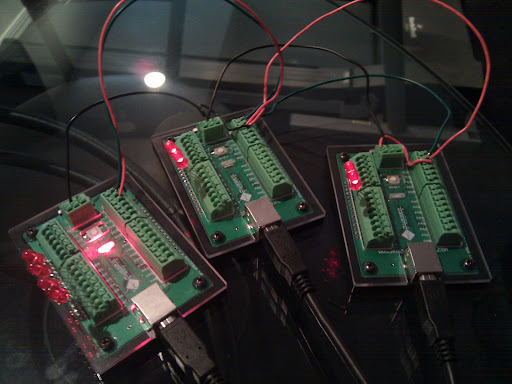
This is a 3 node I2C network with one master and two slaves.

The board with 4 side LEDs is the master. The side LEDs indicate Slave 1 TX / RX and Slave 2 TX/ RX. 
The slave side LEDs indicate TX / RX with the master. There is no slave to slave communication.

The on-board LEDs on all boards flash to indicate a heartbeat main loop still running...

The master is sending 5 byte "packets" to each slave, and after it sends, it is requesting a single byte acknowledgement from the slave.

I added some diagnostics last night to indicate pass / fail for each transmission / ack pair. I then went to bed.

8 hours later, I have 4.7M transmissions, with ZERO failed packets at an average rate of 149.66 messages per second.

I am VERY pleased with these results. I've tried to increase the speed by removing code, and the best I can do is ~ 160 messages per second by shortening the packet length. The limiter appears to be the selected I2C bus speed at this point, because transmitting to only one node or both still averages the same messages per second. I don't need more speed, this is responsive enough, I just wondered where the bottleneck might be.

Next step is to try longer wire lengths to see if it works and if it affects speed or reliability.

Update:
After lots of trial & error + googling, I now having the network working over 25 foot lengths of cat 5 (longer than should be needed in an automotive application). For longer lengths, termination resistors (I used 4.5k Ohm) are needed. Once I figured out what to use, I went to longer & longer cable lengths. I can do 3 foot without the resistors, anything longer needs them. I also found some inexpensive ($3) buffer ICs designed for running I2C over long lengths, but at the moment they don't appear to be needed. I'm still powering them all via USB, so next step is to get a 12v power supply connected and try running power & ground over the cat5 as well.  I've logged 400k transmissions (5 byte command + 1 byte ack) without failure at ~165 messages / sec with ZERO failures.

I'm very happy with the progress so far - the networking was the part that concerned me most about this concept.

Update - More progress:
I now have CRC16 checksums being added to the outgoing 5 byte command packet. The slave uses this checksum to validate it received the packet correctly, and then as the acknowledgement, sends  back the checksum bytes. The master validates the checksum bytes, and the command is believed to have been sent with integrity. This increases a single message to 5+2+2 bytes or 9 bytes total. The increase in byte count and the CRC computation now has the transmission rate down to ~85 messages per second. This is still quite adequate, but I'm hoping it doesn't drop much more as I add input / translate / command send on the master and command receive / translate / output on the slaves.  I'll leave it running over night to see a few million messages go through with no error, but at the moment, this seems completely plausible for use in a vehicle. 

Monday, May 31, 2010

May 31: The boys and I have a new project.


We have a 1968 Firebird that needs a new wiring harness. I could put in a cheap aftermarket one for $500ish, a really nice aftermarket one for $700, or the new fancy ISIS Power microcontroller-based harness for ~$1500.

I was ready to spend the money on the ISIS system when I realized that while you can buy the "programmer" it just uploads code that you get from the manufacturer. Want to change the operation of the system - you call them, ask nicely and wait for them to send you a .hex file. That is a deal-breaker for me. In the true DIY spirit, I thought - I can build that system! Fundamentally it is the same concept as the "Control Panel" we built before, it just adds the concept of networked microcontrollers to split the output circuits by location in the car.

To get started, I've purchased 3 Gator + boards from ruggedcircuits.com.


They are "hardened" arduino-compatible microcontrollers. Since there are life-safety considerations involved with this adventure I wanted to get boards that were the least likely to fail (or be damaged by me along the way!).

I've got the Arduino development environment loaded & I've uploaded my first simple program to a gator+. Over the coming weeks, the plan is to:

1) Build a reliable wired communication network (I2C?) between 3 nodes (the gator+ boards).


2) Determine the bandwidth of the network so that I can ensure I don't have a delay on a brake light activation for example.

Update - June 1: 


I built a 3 node I2C network last night using the wire library examples. I can send hundreds of short (8 byte) messages per second to both nodes. Right now the limiting factor is my serial output of the messages for debugging. This is one-way communication from one master to two slaves. 


Next I will try two way communication so that both nodes can send and receive. At a minimum I can use this capability for returning status or warning information to the master. If it worked really well, I could do data logging from all boards. 


Update - June 5: Network fully functional - see my newer post...

3) Develop a terse communication protocol and control structure between the nodes.


Update - June 3:
Design considerations floating in my head...


Does the master send "events" and the slaves respond to events OR does the master process the events and send "commands" to the slaves?


What events exist?

  • External inputs:
    • Ignition: On / Off
    • Input: On / Off (Do I need to handle expected momentary different than expected latching to keep protocol terse? Don't need to resend stuff over & over)
    • Analog Input: Value  (Will I have analog inputs for things like interior light brightness, fan temps, or am I sticking with digital?) 


  • System Events:
    • Warning
    • Error / Problem
    • Critical Failure
    • Heartbeat


What are the "commands" needed? 

  • Standard Outputs
    • ON (Output, Max Duration)
    • OFF 
    • BLINK (Brightness, Rate)
  • PWM Outputs
    • FADE (Start Brightness, End Brightness, Rate) 
    • PULSE (Start Brightness, End Brightness, Rate, Delay)
  • RGB LED (Likely commands are going to separate microcontroller(s) via I2C)
    • LED_ON (R, G, B)
    • LED_FADE (Can get complicated...)
    • LED_PULSE (Can get complicated...)
    • LED_CYCLE (Color cycling...very complicated)


4) Design / construct a fused output module capable of 20+ amp loads at 12v. I haven't found an output board that fits the bill, so it looks like I will be designing one. The Parallax Digital IO board is the closest I've found, but isn't rated for enough current.


Update - June 4:
I still can't find a ganged power output board that meets my needs, and I think I want to custom design it anyway to be able to have the automotive fuse holders on the board, detect blown fuses, open circuits, overtemp on the mosfets, etc. I'll prototype everything on hand-soldered perf board, and if it works well, I may have some boards professionally made :)


MOSFET selection: I'm ordering the IRLZ44N, based on this arduino forum article. They are technically capable of 47A, but I'm thinking heat management in the TO-220 case will be the actually limiter. I think the failure testing part of the project will be FUN!


5) Build a benchtop test car with all circuits present. Benchtop testing will save LOTS of headaches later.

The boys will be learning all about the electrical system of a car including switches, relays, lamps, etc. I think they will LOVE building a working benchtop car model. I'll probably leave it intact as a testing platform and just order more gator+ boards as needed :)


Update June 4:
I will be building the test "car" using a top view of the Firebird printed on paper and glued to peg board. I have an enclosure design for the pegboard that gives me two layers of pegboard - the car picture, all indicator lights & switches will be on the top board which will be hinged to allow access to the bottom board. The bottom board will have the microcontrollers & output boards. I plan to make it run from a 12v jumpstarter style battery. I think the boys are going to LOVE building this thing and playing with it. I have it sketched out - I'll get it in diagram form to share soon.


Stay tuned!

Sunday, February 07, 2010